Step by Step process for 2 step verification of GMAIL

Thursday
Sign-in to your Google account and go to the 2-step verification page. You can use the direct link or reach it via your Google account settings.
Click on the large blue Setup button and the guide walks you through the steps needed to setup the authentication layer. Basically it involves giving Google your mobile number and choosing the mode of code delivery (text or voice).
You don’t want to enter a code again and again for checking your email, so setup Google to remember your trusted devices for at least 30 days.


In the final step, activate 2-step verification for your Google account. Now, if you sign-in from an unrecognized device or computer, you will be asked for the code.
Here’s how the verification code prompt looks when you try to log-in:
Google also prompts you to create some application specific passwords. It’s for those apps you use to access your Google accounts from mobile devices and third-party email clients likeMS Outlook.
You can also add a trusted secondary mobile number to receive the verification codes, in case you lose your main phone or keep it somewhere else. Google also gives you backup codes to access your email accounts on the go when you might not have cell coverage. Thesepermanent codes do not expire and you can use them during such emergencies

Thanks to Brainiac
Read more ...

Upload & share any documents using DocDroid

Wednesday
DocDroid is an free online document uploading, conversion and sharing tool.
 
Features:

  • Share the document via eMail, Twitter or Facebook.
  • Let the reader choose in which format he wants to download the document.
  • Password protection is possible.
  • Supported formats: PDF, DOCX, DOC, ODT, RTF, OTT, XLS, XLSX, TXT, PPT, PPTX, ODP and more!


Check out this cool site HERE
Read more ...

Update Microsoft Security Essentials Offline

Wednesday
you need to Install the latest Microsoft Security Essentials definition updates for get protection against newest
viruses and threats and updating MSE ( Microsoft security essentials ) require working internet connection but , you can also update your MSE offline you have to download and install latest definitions from microsoft site and install them as administrator 


download for 32 bit : http://go.microsoft.com/fwlink/?LinkID=87342

download for 64 bit : http://go.microsoft.com/fwlink/?LinkID=87341
  • If your computer is running Windows Vista or Windows 7,  Right-click Mpam-fe.exe, click Run as administrator, and then click Yes. When you are prompted for an administrator password or confirmation, type the password or provide confirmation, and then wait while the definition files are installed.
  • If your computer is running any other Windows operating system, you must be logged on as an administrator to install the latest definition file. Browse to the folder where you saved the file, and then double-click Mpam-fe.exe to install the latest definition file.
  • Note: If you do not have an administrator account on the computer, ask an administrator to log on and install the definition file for you.
If you are running Microsoft Security Essentials build 2.0.0375.0 or higher,


for Network Inspection System for computers running an x64-based version of Windows.
Read more ...

Get Friend's birthday wishes to Mobile

Tuesday
With the help of this simple tutorial you will get free SMS as your friend's Birthday reminder without any charges. You can set the time of the reminder SMS (one day before or two day before your friend’s Birthday).

Follo the steps:
  1. Go to Google calender 
  2. Login with your google (gmail) username and password..
  3. After login you can see My calender at left hand side
  4. Click on the down arrow button near My calendars
  5. Click on create new calendar button      
  6. Give a suitable name for your calendar
  7. Don't check the box Make this calendar public
  8. Finally click Create calendar button
  9. Now you can see the newly created Calender under My calendars.

  10. Goto upper right corner of the browser click on the small wrench icon  button and select settings 
  11. goto Mobile settings and give your mobile number there and click verification code button. You need to enter your verification code (Google will sent an sms to you which will contain the verification code) on the text box. And finally click on the Finish setup button
  12. Now goto your Facebook page 
  13. Click on EVENTS link below your profile photo

  14. Click the small wretch icon near Today button and select Export
  15. Dont click Close Button Now
  16. On the popup window, Right click above export your friend's birthdays link and click on Copy Link Location.( Copy link address)
  17. Open a webbrowser (firefox ,chrome etc), Paste the content address URL (Just click paste)
  18. the address should be like this 
  19. Webcal://www.facebook.com/ical/b.php?uid=1846667233&key=AQAz_SefXt22euxS
  20. Remove Webcal://  text at the beginning of the address Then click go (Enter)
  21. You can see a file like the name uxxx.ics is downloading (Give permission if needed, save the file)
  22. Now again goto Google calendars go to settings and select calendars
  23. click import calendar and Browse the file you have downloaded from Facebook earlier (Uxxx.icl) select the calendar name also Then click Import.
   

24.  Click on Reminders & Notifications and choose your desired time on minutes,hours,days.

25. Click on Save...

Ta-da that's it.
Read more ...

Host website on Google Drive

Sunday
Most of the website developers are worried about Hosting for this Google Drive helps them!
Yes. Google Drive allows you to host website.

Are you ready to know how to?
Lets start,
Follow the steps:

1. Sign in to your Google Drive account.
2. Create a new folder in it by clicking New Folder icon. and Name it.


3. Now upload the files on the folder created by clicking on Upload button.


4. After the uploading complete, click on Share button & click on Change.


5. Now change it to Public on the web and save.


6. Open the Index file and in the right bottom you can see a blue button named Open, click on it.


7. After the opening of the file, click on Preview.


8. Ta-da Your website is live. copy the URL & share with the world.


Now you shorten this URL by various URL Shorten sites like goog.gl, is.gd etc..
Read more ...

Email Address shorten

Sunday
Wanna shorten your email address?
How to do it?
Answers for this questions are provided by these 3 websites

  • Bouncr
  • eShorten
  • Scr.im


Bouncr:

Bouncr is a service that helps you share your email publicly in a safe way.
It works by hiding your permanent email address with a Bouncr proxy.
Bouncr is not meant to be an anti-spam service we do our best to filter out obvious spam and virus messages. Spam and virus messages will be rejected so the sender will know their message did not get through to you (but most likely they won't care since they're probably a spambot or Trojan infected machine).

eShorten

It is also an Email Address Shortener service which has 3 steps as follow

  1. Enter the email address you would like to shorten
  2. Customize your short email address
  3. Conformation 


eShorten provides domains like 
Howdy.Do, 
Aim4.Me,
2Em.Me,
2Hey.Me and etc.

Scr.im:

Scr.im is also an online web tool which allows you to shorten your email address.
email shorten
to scrim: to protect your email address before sharing it.

so why we go for shorten email address?
To secure your email ID.
To share our emails in forums, facebook or chat for easy purpose.
Read more ...

Activate Windows 8.1 Professional

Sunday
Activate Windows 8.1 Professional using KMSp v5 which will activate your Windows 8.1 Proffesional with the help of Online.
  
KMSp is BETA version and its password to run this script is 

kmsp
 or
1234
Read more ...

KMSpico v9

Saturday
KMSpico Activator is the ideal tool to activate the final version of Windows 7/8 and Office 2010/2013. 
Activator does not require user intervention, the entire activation process takes place in the background, just run the activator and a couple of minutes to check the activation status of Windows and / or Office. Working in W8 and Office 2013 fresh install and Volume license.
  
Requirements: .NET 4.0 or Windows 8/2012.

Activates:
  • Windows Vista Bussines/Enterprise
  • Windows 7 Professional/Enterprise
  • Windows 8
  • Windows (8.1 Preview)*
  • Office 2010/2013*
  • Windows Server 2008/2008R2/2012


How to use:

  1. Run KMSpico_Setup.exe
  2. Install it.
  3. (Optional) Create a tokens backup with the buttom: Create.
  4. Press the Red Buttom.
  5. Done.


Read more ...

X-Ray Spray

Saturday
Makes Envelopes See-Through For 30 Seconds:
 Snooping on your neighbour’s mail has never been so easy. Just spray some of this “X-Ray Spray” on the side of a sealed envelope and watch in amazement as the paper becomes semi-transparent. It’s completely temporary, as the product will evaporate after about 30 seconds, leaving the piece of mail looking completely un-tampered with.

We can’t think of any situations where the use of this product wouldn’t be either illegal, or at the very least morally reprehensible. But, hey, we don’t judge. We just think it’s pretty cool something like this even exists. It’s $15.
Read more ...

Brutus Password Cracker

Saturday

Brutus is one of the fastest, most flexible remote password crackers you can get your hands on – it’s also free. It is available for Windows 9x, NT and 2000, there is no UNX version available although it is a possibility at some point in the future. Brutus was first made publicly available in October 1998 and since that time there have been at least 70,000 downloads and over 175,000 visitors to this page. Development continues so new releases will be available in the near future.
Features

Brutus version AET2 is the current release and includes the following authentication types :

  • HTTP (Basic Authentication)
  • HTTP (HTML Form/CGI)
  • POP3
  • FTP
  • SMB
  • Telnet
  • Other types such as IMAP, NNTP, NetBus etc are freely downloadable from this site and simply imported into your copy of Brutus. You can create your own types or use other peoples.


Read more ...

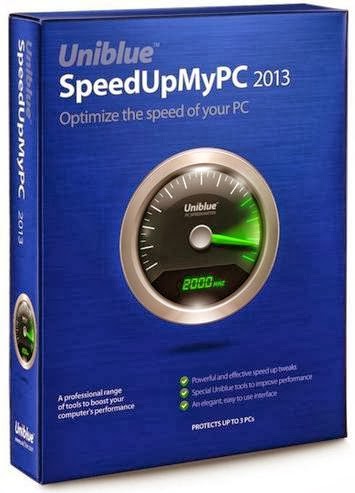
Uniblue Speed Up My PC 5.3.11 with Key

Sunday
There are many applications in system optimization of the software SpeedUpMyPC bonus 
software which is able to optimize the system for their benefit. 
This package Uniblue product you optimize the performance of the system will assist in optimizing and tweaking.
Commonly installed applications and games for multiple overlay file system and slow 
processing of additional disk space will increase it. 
Overview of CPU usage and increase  its performance and optimize your registry and speed up computer deeply significant in  that system. 
It also optimizes your Internet connection settings for improved bandwidth, faster browsing, faster and more secure in the privacy of the functionality of Uniblue SpeedUpMyPC.


Uniblue SpeedUpMyPC 2013th Software features:
- the speed and power optimization. 
- computer deeply the hard disk. 
- Evaluation and optimization of RAM. 
- Overview of CPU usage and increase its performance. 
- Registry optimization and computer deeply. 
- computer deeply Fast and standard hard drive. 
- Nalyzv optimize internet speed. 
- Increase disk space by using the File Clean Up. 
- Automatic scanning system. 
- system optimization with just one click. 
- to protect privacy. 
- crushed and Shred files. 
- Uninstall Manager remove the software. 
- a beautiful environment with easy interface.

Read more ...

TuneUp Utilities 2014

Friday
An updated set of various tools for tuning your system. TuneUp Utilities allow you to clean the wheels of a different litter, remove from the registry invalid entries, manage startup to optimize memory, permanently delete files using the tool "TuneUp Shredder" (it is not possible to restore files, even with special programs), to change the appearance of Windows, and much more. All utilities are collected in a single graphical environment. This package contains the important functions for the configuration, optimization of the system, cleaning and maintenance-friendly graphical interface.

TuneUp stands out due to its ease of use. During development, the main emphasis was placed on providing opportunities for each level Windows users to optimize their computer efficiently and completely. The following is a brief overview of the most important new features:

TuneUp Turbo Mode. TuneUp Turbo Mode gives you immediate performance boost whenever you need it. It disables many features that work in the background, even when you are not using them.
TuneUp Operational Optimization . TuneUp Utilities offer you two new optimization method, which ensures optimum performance even under high load computer. If necessary, the speed will increase or accelerate the process of running the program.

Gadget TuneUp Utilities. For Windows Vista and Windows 7, there is now a device TuneUp Utilities, which always displays the status of the computer desktop.
TuneUp Optimization Report. TuneUp Utilities will provide you with progress reports will show you what services and other optimization problems you have done and what benefits it has brought you.
When space became even more secure. You can now delete unwanted files and old backups separately from each other in order to free up disk space on your hard drive. This allows you to safely remove redundant files at any time. After each treatment, TuneUp Utilities also show you how much disk space has been freed.
Easier to use. Many functions of TuneUp Utilities have become more easy to use, making it easier for you to optimize your system Windows.
Detailed information about your programs. TuneUp Utilities provides you with a detailed description of all programs installed on your computer. If you would like to find out more information about one of your programs, you can get search results on the network.

Supported Platforms : 

Windows ® 2003, 
Windows XP, 
Windows Vista,
 Windows 7, 
Windows 8, Windows 8.1 (32 and 64-bit)

Language: English

Homepage: http://www.tune-up.com/

Read more ...

Neptune 3.3 OS

Friday
Neptune is a ZevenOS Distro based fully upon Debian Wheezy, except for a newer kernel and some drivers.
The Neptune team is proud to announce the release of Neptune 3.3.
This release features the linux kernel 3.10.12 and is exclusively meant to run on 64bit CPUs.
The KDE Plasma Desktop ships with version 4.11.2. Chromium was updated to version 29, VLC to 2.1 and LibreOffice to version 4.1.2.3. We ship with the latest and greatest multimedia codecs preinstalled aswell as the flashplayer.
For wireless diagnosis we ship Wireshark, Aircrack-ng and kismon

Upgrade notice:

  • To upgrade Neptune 3.2 to 3.3 just perform an normal system update. 
  • This will upgrade the system except for the KDE Plasma Workspace. 
  • To Upgrade KDE please enable the Neptune KDE Repository. 
  • The same goes for LibreOffice which can be obtained from the LibreOffice softwaresources we include but disabled by default.


The changes in an overview:

  • New kernel 3.10.12
  • KDE SC 4.11.2 with customized notification center
  • Removed eclipse
  • Removed pavucontrol
  • Removed muon software center, muon updater and qapt-deb-installer
  • Use Apper as default deb installer with gdebi-common
  • Fixed neptune installer uuid detection
  • Added new version of neptune-scripts
  • Updated LibreOffice to version 4.1.2.3
  • Updated Chromium to version 29
  • Updated VLC to version 2.1
  • Updated Quick Install Guide
  • Added about menu für Zevenoshardwaremanager
  • Added Calligra 2.7.2 in kde repository 

Read more ...

Internet Download Manager 6.18 Build 2 Incl Keygen and Patch

Thursday
Internet Download Manager (IDM) is a tool to increase download speeds by up to 5 times, resume and schedule downloads. Comprehensive error recovery and resume capability will restart broken or interrupted downloads due to lost connections, network problems, computer shutdowns, or unexpected power outages. Simple graphic user interface makes IDM user friendly and easy to use.Internet Download Manager has a smart download logic accelerator that features intelligent dynamic file segmentation and safe multipart downloading technology to accelerate your downloads. Unlike other download managers and accelerators Internet Download Manager segments downloaded files dynamically during download process and reuses available connections without additional connect and login stages to achieve best acceleration performance.
  
Internet Download Manager supports proxy servers, ftp and http protocols, firewalls, redirects, cookies, authorization, MP3 audio and MPEG video content processing. IDM integrates seamlessly into Microsoft Internet Explorer, Netscape, MSN Explorer, AOL, Opera, Mozilla, Mozilla Firefox, Mozilla Firebird, Avant Browser, MyIE2, and all other popular browsers to automatically handle your downloads. You can also drag and drop files, or use Internet Download Manager from command line. Internet Download Manager can dial your modem at the set time, download the files you want, then hang up or even shut down your computer when it's done. 

Other features include multilingual support, zip preview, download categories, scheduler pro, sounds on different events, HTTPS support, queue processor, html help and tutorial, enhanced virus protection on download completion, progressive downloading with quotas (useful for connections that use some kind of fair access policy or FAP like Direcway, Direct PC, Hughes, etc.), built-in download accelerator, and many others.

Installation Method:

1. Install the application and close and When Finish Installation, Close "IDM Tray Icon" From Taskbar.
2. Copy the content in the folder Keygen and Patch and paste it in to the installation folder.

C:Program Files (x86)Internet Download Manager
                        or
C:Program FilesInternet Download Manager

3. Run "Keygen+Patch" and
3.1 Click on Generate
3.2 Click on Patch and select idman.exe
3.3 Click on Auto Register


Read more ...

Windows 8 Personalization Unlocker and Activator

Thursday
If you want to use personalize option the you need to activate windows 8 kms activator. But kms activator is down so far. So you need to use fake activator to activate windows 8 product but this fake activator doesn't enable features like Personalization ,Start screen ,Account Picture. Here is the activator to enable this features...
Windows 8 Professional Final Activator. This is the latest New Windows 8 100% Working Activator. Try it Now and Activate Your Windows 8 Pro, Enterprise, and Core Final Edition.


Features:

  • Fully Unlocked.
  • Personalization.
  • Start screen.
  • Account Picture


Windows 8 Professional Final Activator Instructions:

1.Run as administrator
2.Wait for the process and don't do nothing
3.It restarts automatically Windows is "activated"


Supports:

  • Windows 8 Professional
  • Windows 8 Enterprise
  • Windows 8 Core


Read more ...

KMSpico 8.9 Offline Activator For Windows and Office

Wednesday
Requirements:
.NET 4.0 or Windows 8/2012.


Activate: 

  • Windows Vista Business/N/Enterprise/N
  • Windows 7
  • Windows 8
  • (Windows 8.1 Only Retail Key Helper) 
  • Office 2010/2013 
  • Windows Server 2008/ Standard/ Datacenter/ Enterprise/ 2008R2/ Standard/ Datacenter/Enterprise/2012/Standard/Datacenter

How to use:


1. Run KMSpico_Install_v8.9.exe
2. Install it.
2.1 (Optional) Create a tokens backup with the buttom: Create.
3. Press the Red Buttom.
4. Done.

Based off of open source code KMSEmulator of jm287.

Recommendations Optional:

- Make exceptions to Directory %ProgramFiles%KMSpico*.exe in Antivirus or Defender.

How This Program Works:

1. Install KMSpico v8.9 in Windows.
1.1 Create Shortcuts for KMSpico.
2. Run automatically KMSELDI.
2.1 Make Tokens Backup.
2.2 Detect VL or Retail and depending of the License Status activate or convert to VL.
2.3 Activate for 180 days all VL products found.
3. Install a windows service that reactive every windows start.
4. Create a task schedule for AutoPico to run every 24 hours.


Read more ...

Protect Your USB Drive

Wednesday

This are the top tools used to protect your USB/Flash Drives from Virus

USB Disk Security

USB Disk Security provides protection against any malicious program trying to attack via USB flash drive. It delivers high level of protection against theft and accidental disclosure of confidential data, and prevents unauthorized person from stealing your data.
USB Disk Security

USB Threat Defender

USB Threat Defender is not just another autorun.inf virus remover, it takes more than that to provide maximum protection guarantee. Its new protection level detects viruses missed by the best antivirus software, and provides maximum protection against any threat that tries to attack a system via any USB storage device.
USB Threat Defender

McAfee VirusScan USB

Proven antivirus security for your USB drive. Automated, daily antivirus updates install silently in the background, ensuring your USB drive is always protected from evolving and emerging virus threats. The software does not provide trial version, but considered it’s the famous brand McAfee, it’s probably worth your consideration! And did I mention 30-day money back guarantee?
McAfee VirusScan USB

USB Immunizer

The Immunize option allows you to immunize your USB storage device or SD card against infections with autorun-based malware. Even if your storage device has been plugged into an infected computer, the malware will be unable to create its autorun.inf file, thus annihilating any chance of auto-launching itself.
USB immunizer

Panda USB Vaccine

Panda USB Vaccine can be used on individual USB flash drives to disable its autorun.inf file in order to prevent malware infections. When applied on a USB drive, the vaccine permanently blocks the malicious autorun.inf file, preventing it from being read, created, deleted or modified.
Panda USB Vaccine

Ninja Pendisk

Ninja is the popular and free program designed for guarding computers against viruses transmitted by USB pendisks. This ninja waits quietly in the system tray until an USB pendisk is plugged into the computer, which it will be examined to uncover the commonly malicious or virulent files known asautorun.inf and ctfmon.exe amongst many others.
Ninja Pendisk

USB Guardian

USB Guardian allows you to safely enjoy file sharing with USB thumb drive. Movies, MP3s, documents and pictures can be copied from one computer to another without worrying of getting infected by worms and viruses trough USB drive.
USB Guardian

Autorun Protector

Autorun Protector is a two-way protection standalone software that prevents your PC from infection by autorun worms and also protects your removable device from being infected from other sources. Hence, it decreases the spread of the virulent worms.
Autorun Protector

Autorun Virus Remover

Autorun Virus Remover uses proactive technology to permanently remove autorun & autorun.inf viruses, also it can block those viruses trying to infect the system via USB flash drives.
Autorun Virus Remover

The USB Program

The USB Program is designed to help prevent computers being infected by autorun viruses. The program is loaded into system memory, and technically it automatically renames autorun.inf files on new device into autorun.inf_current date_time, and sets its attribute to “normal”, making it visible for the system. As a result, it isolates any infection.
The USB Program
Read more ...

Google Chrome updates

Tuesday
Google Chrome updated a few changes which changed the way of using it.
some updates and the Google says with the message
[Image: xWAEyhJ.png]
App Store Button
[Image: A390d4d.png]
Chrome Apps
[Image: F5QNuio.png]
Google Search Bar with thumbnail
[Image: QowVhZe.png]
Grid App button and Notification Bell
[Image: TeTLbg6.png]

The above are the updates and in previous versions of Chrome you can see a buttons as
Recently Closed
Order Devices
Web Store

In updated google chrome this options are hidden so it is little freky for some users.

Now Recently closed are presents in Customize and control button
[Image: HYUQSr7.png]
Read more ...